TrendPlus AB Courier Technology

One Driver App. Every Multi-Stop Route, Simplified.

Give your delivery teams a dedicated mobile app built for fast, accurate, and reliable multi-stop operations. From food delivery and courier services to last-mile logistics, TrendPlus helps drivers receive routes, manage orders, follow optimized missions, and complete every delivery with confidence.

Live

Real-time route assignment and courier status updates.

Fast

Optimized route planning and smarter order selection.

Simple

A clean mobile workflow designed for busy couriers.
Core Features

Everything Couriers Need to Deliver Smarter

A complete mobile toolkit designed to simplify daily delivery operations, reduce road stress, and give couriers full control over routes, orders, pickups, and delivery execution.

🗺️

Instant Route Assignment

Start every shift with clear route status, assigned missions, stop counts, estimated time, and total distance.

📦

Detailed Order Visibility

View parcel type, weight, volume, delivery window, barcode, recipient details, and address information in one structured screen.

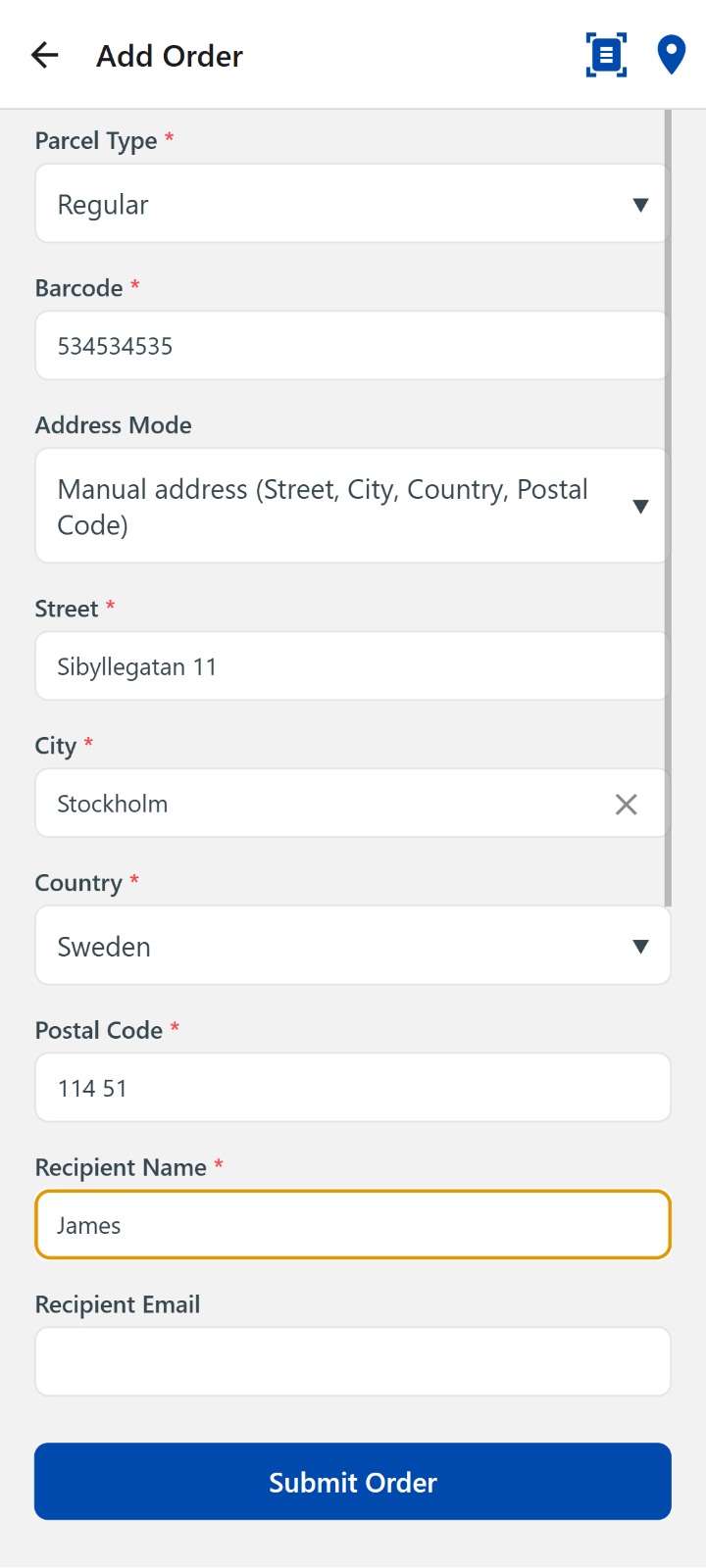
On-Demand Order Creation

Create urgent or unscheduled pickups and deliveries directly from the mobile app using a simple manual order form.

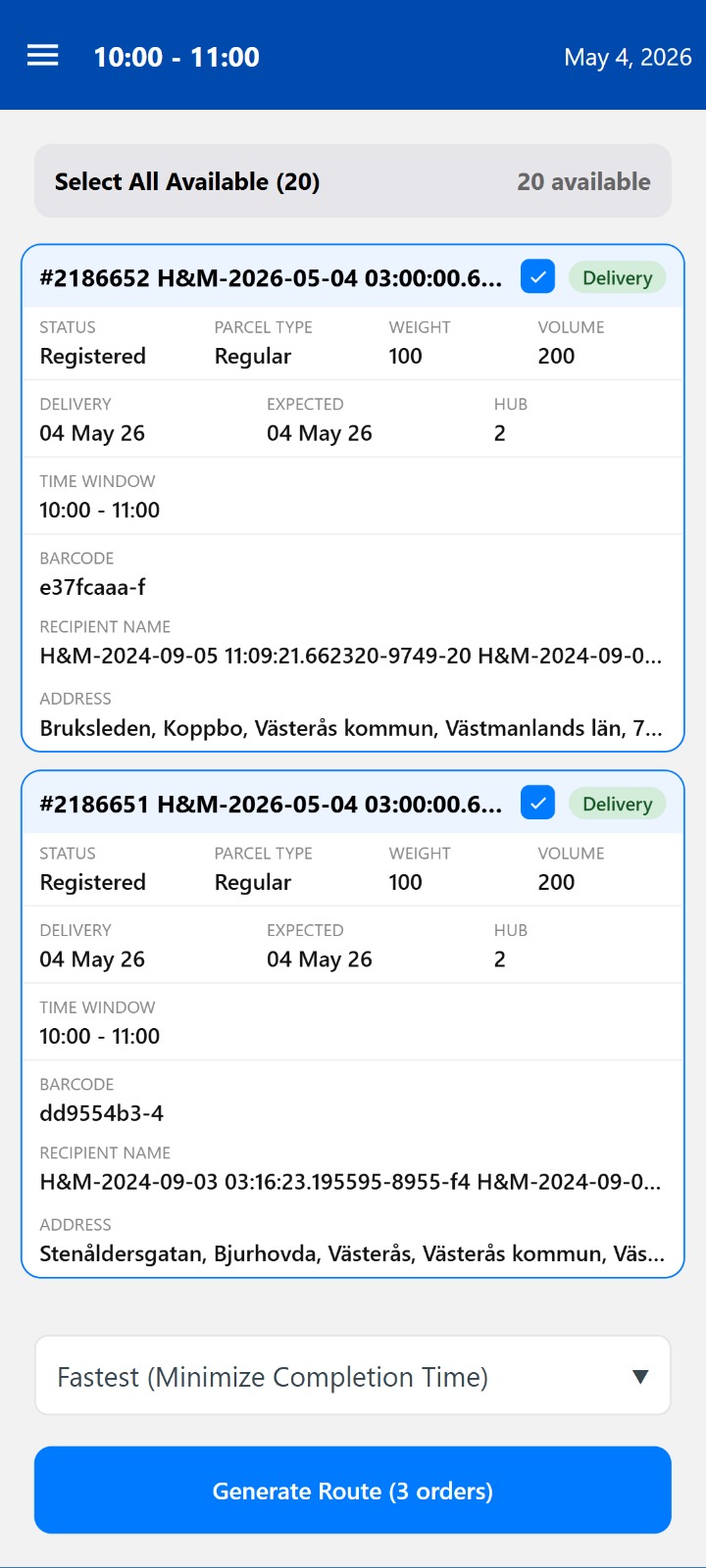
Optimized Route Generation

Select available orders and generate efficient routes based on the fastest and most logical delivery sequence.

📍

Seamless Delivery Execution

Get directions, contact recipients, view addresses, and update delivery progress with quick one-tap actions.

Courier Control Center

Access profiles, shifts, orders, routes, and essential courier tools from one clean centralized menu.

App Experience

A Clean Mobile Interface Built for Real Delivery Work

From route readiness and mission overview to order creation and final delivery, every screen is designed to help couriers make faster decisions, reduce confusion, and complete deliveries smoothly in the field.
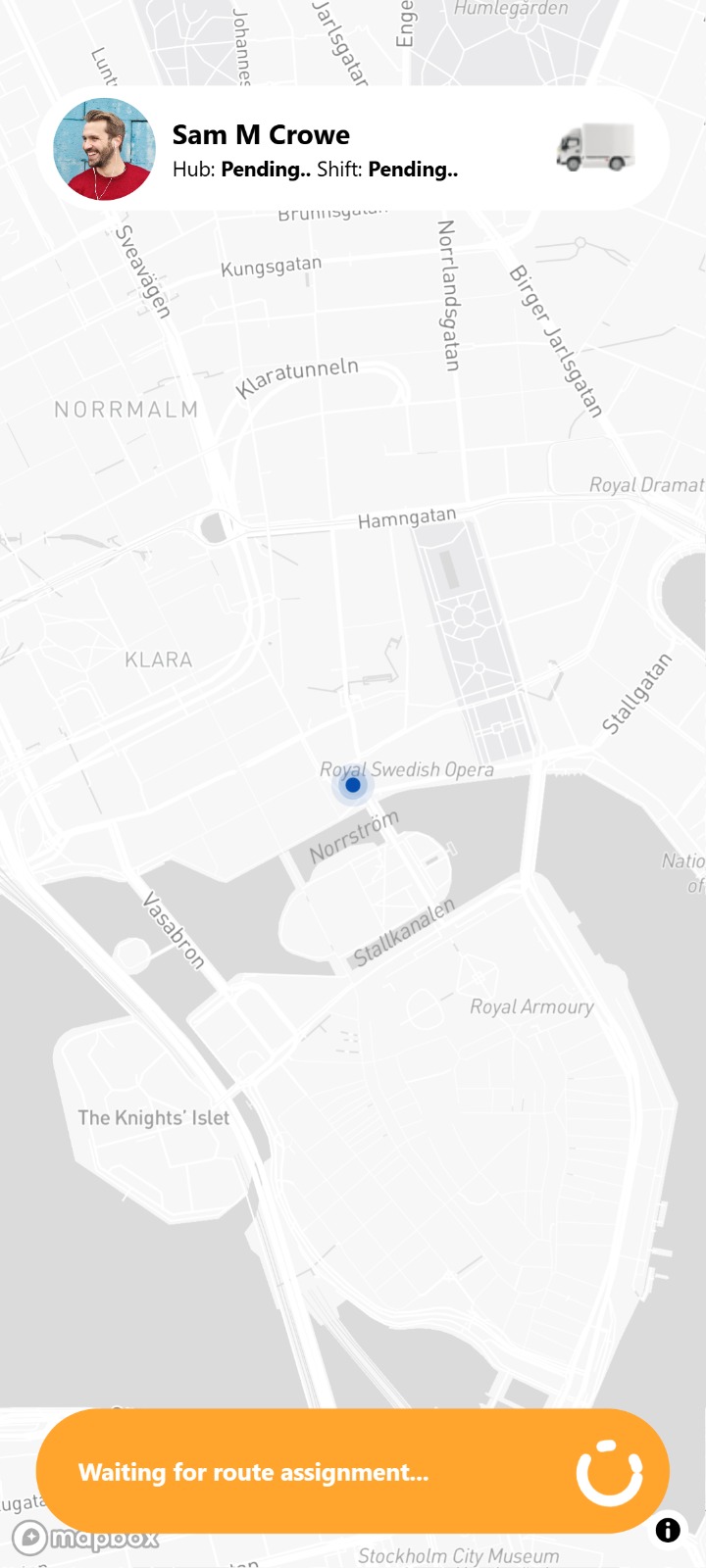
Route readiness screen in the TrendPlus driver app

Route Readiness

Couriers can instantly see when they are waiting for route assignment and when a route is ready to start.
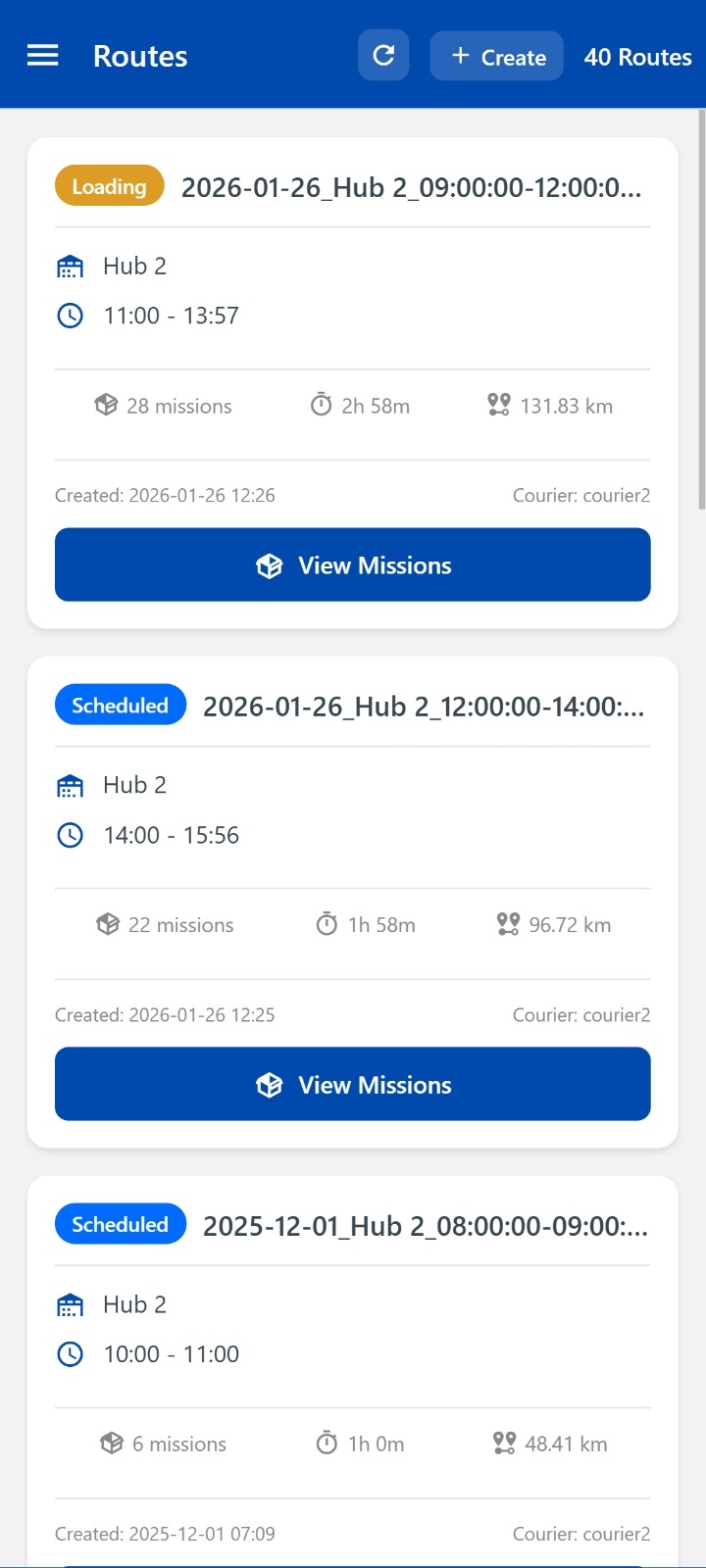
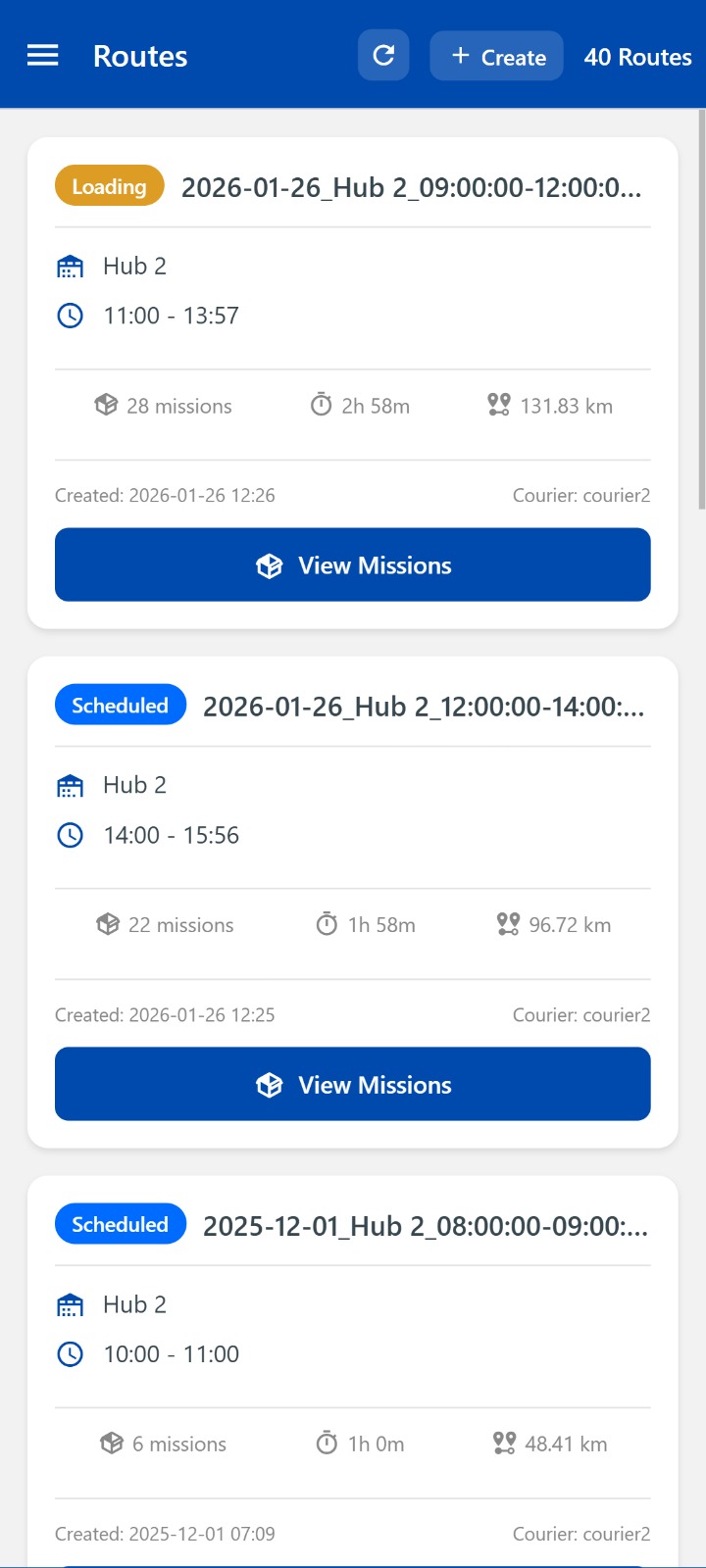
Routes overview screen in the TrendPlus driver app

Routes Overview

Loaded and scheduled routes are displayed with hub details, time windows, mission counts, duration, and distance.
Add order screen in the TrendPlus driver app

Add Order

Manual order creation makes it simple to add recipient details, address, barcode, parcel type, and delivery information.
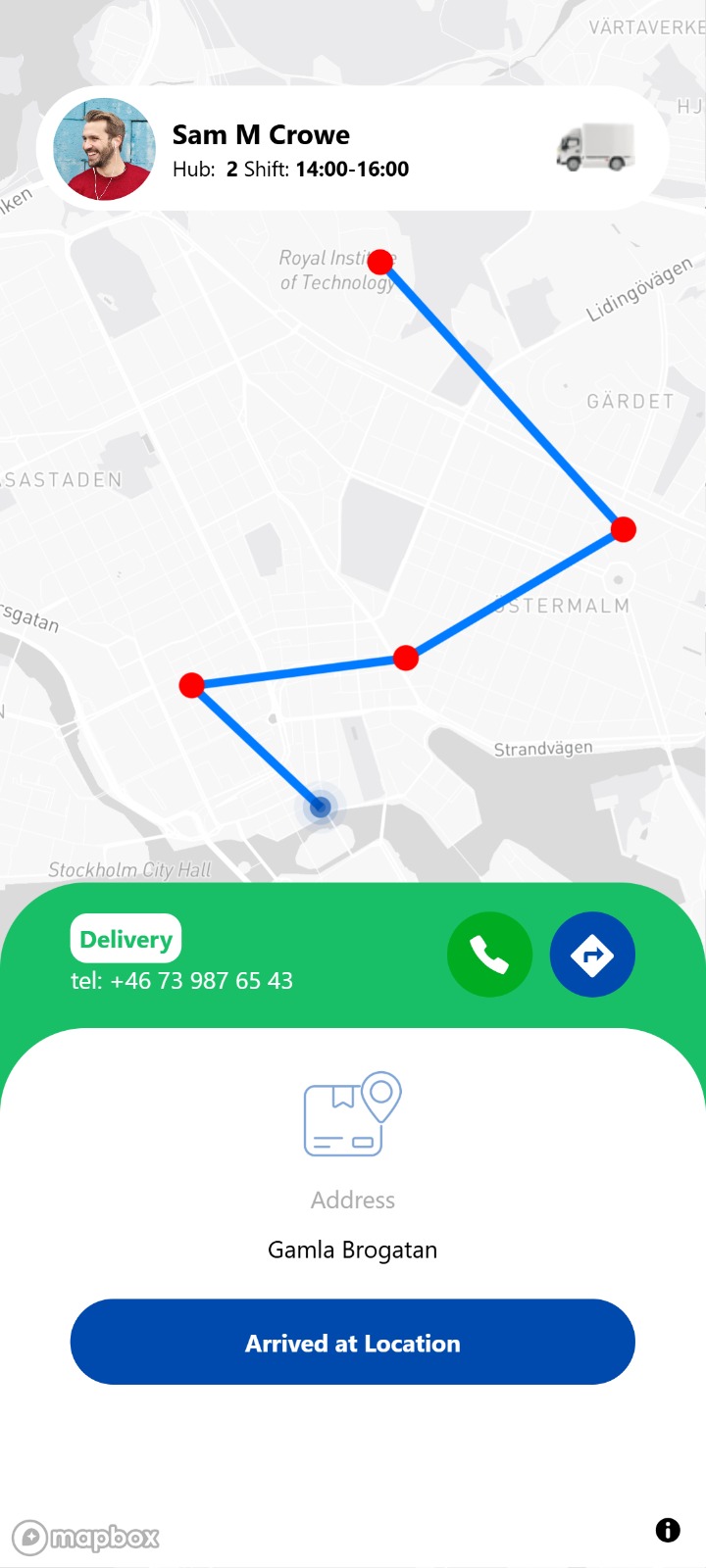
Delivery execution screen in the TrendPlus driver app

Delivery Execution

Couriers can call recipients, open navigation, review delivery details, and confirm arrival at the delivery location.

From Route Assignment to Successful Delivery

The Stand-Alone Driver App guides couriers through every step of the delivery workflow — from starting a shift and reviewing routes to managing orders, navigating to recipients, and completing deliveries with confidence.

1

Receive or Create a Route

Couriers can load assigned routes or generate optimized routes from selected available orders.

2

Review Missions and Order Details

Every mission includes delivery windows, parcel information, recipient details, barcodes, and address data.

3

Navigate and Deliver

Couriers can open directions, contact recipients, and update delivery status directly inside the app.

4

Complete with Confidence

A simple guided workflow helps reduce mistakes, improve visibility, and keep every delivery moving smoothly.

Free Monthly Usage

Start with 300 Deliveries per Month — Free

Try the Stand-Alone Driver App with up to 300 deliveries every month at no cost. For higher delivery volumes, simply fill out the form and our team will help you choose the right setup for your operation.

Need more?

More Than 300 Deliveries?

For growing delivery operations, we offer flexible monthly volumes and business-specific setups. Fill out the form and we’ll help you find the best plan for your needs.

  • Custom delivery volume
  • Business-specific setup
  • Support for growing operations
  • Weekly and daily planning
Fill Out the Form
en_USEN